Write it down
“What needs doing?” and, if it matters, when: whenever, today, tomorrow, this weekend or a date. A family job rarely needs a time picker, so there is not one.
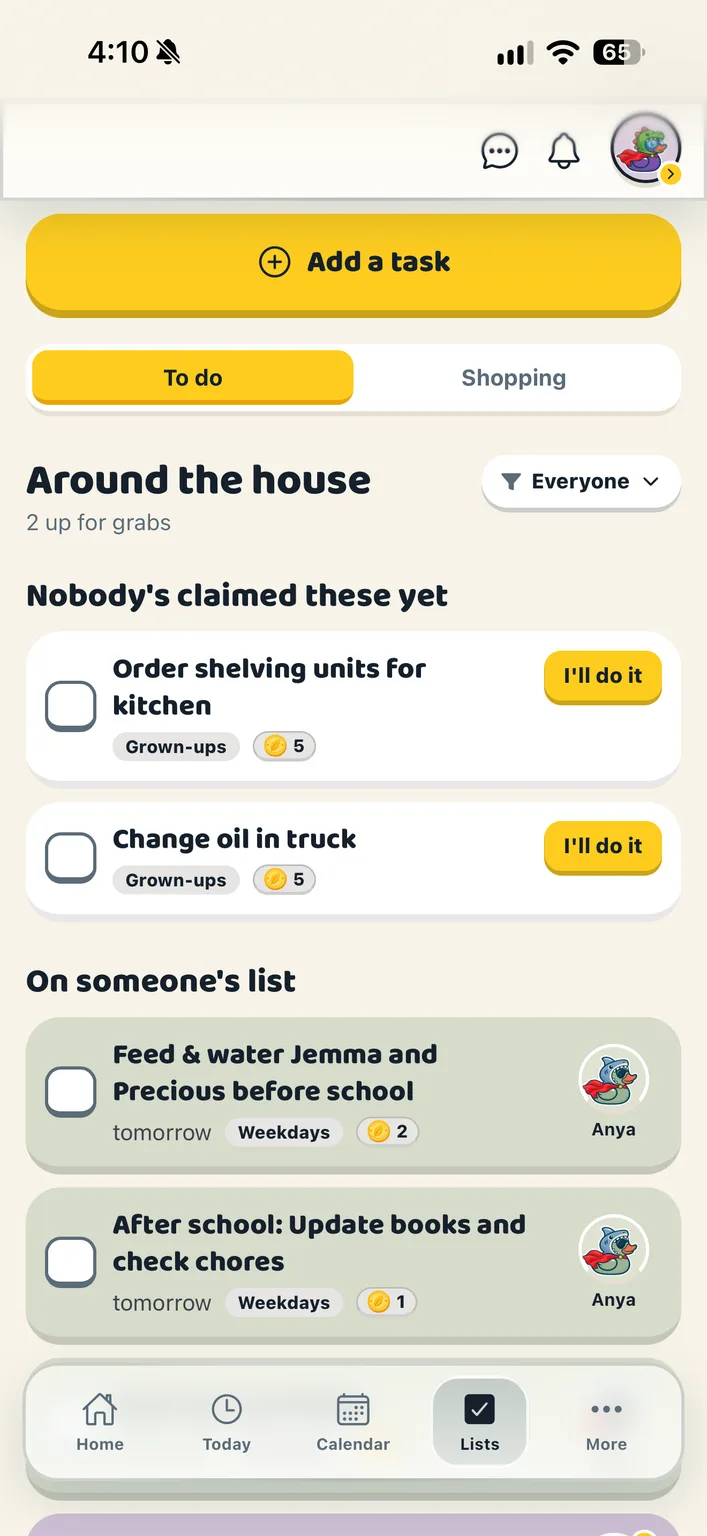
Jobs around the house, and who has them. Put a job up for grabs and let someone take it, or put it straight on a person’s list. Either way, when it is done there is a quack and a coin.
“What needs doing?” and, if it matters, when: whenever, today, tomorrow, this weekend or a date. A family job rarely needs a time picker, so there is not one.
“Up for grabs” is the first choice, and anyone can take it with “I’ll do it”. A grown-up can also put it on someone’s list, and the button changes to say so.
The finisher collects whatever the job was worth. Ticks are undoable, and the Duck Bucks go back with them.
Each row is washed in the colour of the duck who has it. Up for grabs is white: nobody’s colour, rather than a colour that means nobody.
A grown-up makes a job worth 0 to 10 Duck Bucks. Whoever finishes it collects them.
Daily, weekdays, weekly, every two weeks or monthly. The next one appears when this one is ticked off, or when it comes round again.
Mark a job for grown-ups and the kids can see it but not take it. A child sees “Not yours to take” instead of a button that errors.
Finish a job worth Duck Bucks and a coin flips over the whole screen while the app quacks. If it went into someone else’s wallet, it says whose.
Every to-do posts itself into the family chat as a live card, with “I’ll take it” right there.
The list says who has what, never who was told to do what.
A job without an owner is up for grabs, and anyone in the flock can choose “I’ll do it” to take it on. A grown-up can also put a job straight on someone’s list. The app never scolds: there is no “overdue” and no “you failed to”.
A grown-up can make a job worth one to ten Duck Bucks, and whoever finishes it collects them. They are spent in the duck builder on hats, glasses and the like; every colour is free. Duck Bucks are earned, never bought, and there is nothing to purchase anywhere a child can reach. If you like, a grown-up can turn on the Exchange and say what Duck Bucks are worth at home; the app keeps a note of what you agreed and never moves any money.
No. A child gets a profile, their own duck and jobs to claim without a login or an email address. When they are older you can invite them to sign in, and their whole history of claimed chores comes with them.
Create your household, add your people and choose your ducks. Everything for a fortnight, then one subscription covers your whole flock.