
Add to the Vault
Take a photo or choose a file. Say whether it is artwork, a receipt, a document or a photo, and whose it is.
Artwork, documents, receipts, photos and passwords in one encrypted place, with one search box over all of it. A photographed page is straightened like a scan, and a receipt is read so every item on it is tracked.
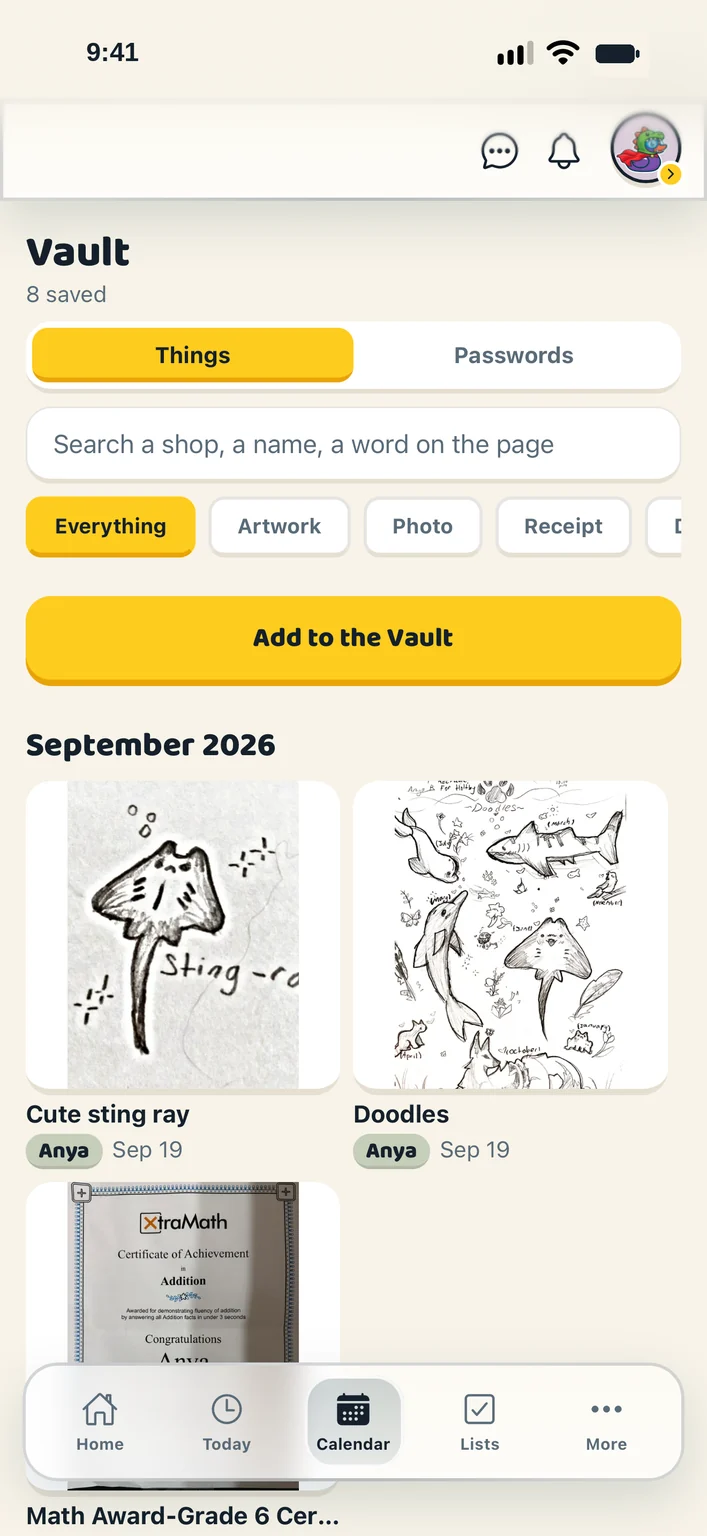
Take a photo or choose a file. Say whether it is artwork, a receipt, a document or a photo, and whose it is.
Filter by kind or by what a receipt was for, browse by month, or search the words on the page. Each tile wears a coloured name tag saying whose it is.
On the Passwords side, a grown-up keeps what a login is for, the site, the username and the password, and chooses one at a time which the children can see.
Everything is encrypted on its way to us and while it sits with us. Saved passwords are encrypted again on top of that, with the key kept outside the database.
A photographed page is flattened, its corners adjustable, in one of three looks. A receipt is read: merchant, total, tax, date, and every item.
A read document or receipt can be found by a shop, a name or a phrase, not just its title.
Artwork carries the colour of the child who made it, drawn not written, so a wall of tiles reads without a single name.
A child cannot take their own artwork down. They can ask a grown-up, who sees the request beside the picture itself and decides.
Passwords are never listed in the open. Revealing one fetches exactly that one, when somebody taps, and it is forgotten when the row closes.
The Vault is for the grown-ups, with the door to a child’s own things held open on purpose.
Artwork, documents, receipts, photos and passwords. A photographed drawing is filed under the child who made it, on the day the photo was taken. A photographed page is straightened and cleaned up like a scan, and a receipt is read so every item on it is tracked. A password entry holds what it is for, the login address, the username and the password, and is searchable; a grown-up chooses which passwords the children can see, one at a time. Everything is encrypted on its way to us and while it sits with us, and saved passwords are encrypted again on top of that, with the key kept outside the database. The full picture is in the privacy policy at my.ducksinarow.app/privacy.
Grown-ups. Documents, receipts and member settings are for the adults in the household; a child or teen sees their own jobs, the calendar, the lists and the chat. An extended member such as a grandparent can be on the calendar without opening the family’s papers.
In a Canadian region, with the database, sign-in and uploaded files hosted by Supabase. There are no advertisers and nothing is sold. You can delete your account from the menu and it happens straight away; a grown-up deletes a child’s. The privacy policy at my.ducksinarow.app/privacy says exactly what is collected and why, and hello@ducksinarow.app answers questions about it.
Create your household, add your people and choose your ducks. Everything for a fortnight, then one subscription covers your whole flock.